
Private photo vault for iPhone and Android
A private room for everything that’s yours.
Photos, videos, passports, IDs and recovery words, encrypted on your phone, backed up and checked, and opened only by you.
- Encrypted on your phone
- Verified backups
- No account
Holiday 2026
Backed up · verified just now
If someone makes you unlock
One room opens. The others leave this phone.
What happens, step by step
- Draw a pattern, and its room opens.
- With Pro, draw a different pattern, and a different room opens.
- Every pattern opens its own room. Nothing on screen says how many there are.
- The wipe pattern (Pro) opens one room and erases every other room on this phone. It's red here only: in the app, every pattern looks the same.
- iCloud backup is optional, room by room. With it on (the default), an erased room comes back on any phone with its recovery phrase. With it off, or for anything not backed up yet, it's gone for good.
Everything is encrypted on your phone. Hideroom never stores your data. Backup goes to your own iCloud: on by default, and you can switch it off room by room.
Some people are pressured into unlocking their phone. If that’s ever you, Hideroom gives you two quiet ways through: decoy rooms and the wipe pattern, both in Pro.


The wipe pattern Pro
Drawing your wipe pattern opens this room. Straight away, every other room on this phone is erased: its photos and its pattern. Your backup isn’t touched, so you can bring each room back later, on any phone, with its recovery phrase. Anything that wasn’t backed up yet is gone for good.
- Looks like any other patternThe same light, the same door, the same timing. Nothing on screen says what happened.
- Settings never tellEvery room’s settings show the same “Wipe pattern” row, whether one is set or not.
- Keep backup on where it mattersOnly what’s already backed up can come back, so Hideroom shows the room’s backup state before you set one.
- Works offline, stays setIt needs no signal, and a plan that ends never switches it off.

Decoy rooms Pro
Any other pattern opens another room, and nothing marks which one is real. Put believable things in one, and it can be the room you show.
- Capture lock FreeLocks the moment your screen is recorded, mirrored or screenshotted, and hides from the app switcher.
- Hide my drawing FreeYour pattern’s line stays invisible to anyone watching.
- Private icons ProSwap Hideroom’s icon for a quieter one. It’s an icon, never a fake calculator.
Your safety comes first. If handing over your phone is the safer thing to do, do that.
Hideroom is for keeping your own private things safe under pressure, not for hiding wrongdoing. Hideroom can’t see what’s in your rooms, so it can’t scan them or hand them over. Using Hideroom for illegal material is against our terms.
What you can keep
Everything that’s yours, in one private room.
Not only photos. Keep the things you’d hate to lose, or hate anyone to see: encrypted on your phone, backed up, and checked.

Full quality by default
Photos
Your private photos, out of your camera roll, kept at full quality and in the order you took them.

Any length
Videos
Long videos play straight from their encrypted file, with sound.
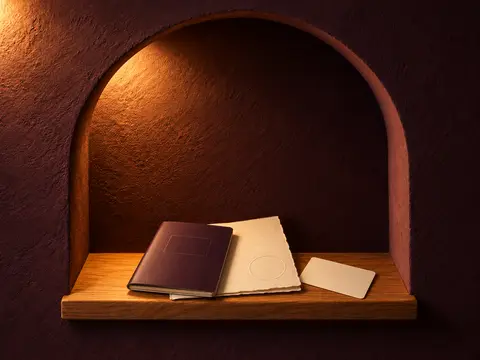
Scan it straight
Important papers
Passports, IDs, certificates and insurance. Scan a page and Hideroom straightens it; export any of them as a PDF.

Hidden until you hold
Recovery words
Never offered for sharing. A photo is only as safe as your phone, so keep a paper copy too.


- Camera inside HideroomPhotos and videos you take here never touch your camera roll.
- Import, then tidy upBring photos in from Photos. Once they’re encrypted and checked, Hideroom offers to remove the originals.
- Files and notesAdd PDFs from Files, and write private notes.
How it’s protected
Your Hidden album opens with your passcode. Your rooms open only for you.
Hiding moves a photo out of sight. Hideroom locks it: everything is encrypted on your phone first, your backup only ever holds locked files, and nobody else holds the keys: not Apple, not Google, not us.
What’s encrypted: Photos, videos, papers, notes, file names, dates, locations, album and room names: all of it.
Your pattern
Drawn on the Rosette. On its own, it’s not enough.
This phone’s secret
Kept in the iPhone Keychain or Android Keystore. It never leaves the phone.
Your room’s key
Random, made on this phone. Only ever stored locked.
The room opens
Only this room. Nothing says other rooms exist.
A key for every file
Each photo, video and page sealed with AES-256-GCM.
Your backup opens only with your recovery phrase. The pattern never leaves this phone, so a stolen backup can’t be attacked by guessing patterns.
- 1 of 3
On your phone
Your pattern and a secret that never leaves this phone unlock the room’s key. Every photo gets its own key and is locked with AES-256-GCM, the encryption built into iPhone and Android.
- 2 of 3
In your own iCloud
Only locked files go to your own private iCloud, or Google Drive on Android, never to Hideroom. Hideroom reads back every upload to check it, and opens a sample each week to prove it restores.
- 3 of 3
At Hideroom
Nothing. The app has no account and no Hideroom server, so there’s nothing of yours for us to see, hand over or leak.
You
Your pattern opens a room on this phone. Your recovery phrase opens it on any phone.
This phone
Keeps a secret that never leaves it, so a copied file can’t even be tested.
Apple or Google
Store your locked files in your own iCloud or Google Drive. They can’t open them.
Hideroom
Holds nothing. We couldn’t open your rooms if we were asked.
Only you hold the key.
Hideroom never has your keys, which is what people mean by zero-knowledge encryption. Your pattern and this phone open a room, and your recovery phrase is the only spare. So we can’t see what’s in your rooms, nor can Apple or Google, and if anyone ever asked us for them, there would be nothing to hand over.
See it step by stepProof, not promises
- A backup you can testCheck my backup restores a sample with your recovery phrase.
- Back in on any phoneYour recovery phrase opens a room on a new iPhone now, and on Android when it ships.
- Honest numbersWe start with the weak part, on the security page.
- Published for anyone to checkThe security design and the code that does the encryption.Publishing before launch
Backed up, and checked
Backed up, and checked, without you asking.
Your encrypted backup lives in your own private iCloud, never with Hideroom. It’s on from your first photo, on the free plan too, and every room shows when it was last checked.
- Every upload is read back and checked“Verified” means verified.
- Check my backupA practice restore from your iCloud with your recovery phrase. Nothing changes.
- A free recovery phrase, never a paid resetNine words Hideroom makes for each room.
- Move to a new phone, step by stepGuided and free: an encrypted move file that opens only with the room’s recovery phrase.

Lost photos are the most common complaint about vault apps: 28% of recent one- and two-star reviews.
Source: our analysis of 470 reviews across 12 apps, October 2026.
App design preview.
Free and Pro
Free to start. Pay once if you want more.
Everything that keeps your things safe is free, on every plan. Pro sells more space and extra protection, never access to your own things.
Free£0, for as long as you like
- One private room
- 100 photos and documents, plus 10 videos
- Encrypted backup, checked, with Check my backup
- Recovery phrase and Move to a new phone
- Camera, import, albums, documents, notes and search
- Capture lock, Hide my drawing and Lock after
- Export, always
Pro addsPro
- Unlimited photos, documents and videos
- More rooms, including decoy rooms
- The wipe pattern
- Private app icons
- Slideshow
If Pro ends, nothing you set up is undone: a wipe pattern stays armed, a private icon stays, and a full room stays whole.
Lifetime
Best value£39.99 · $39.99
once
- The same as two years of Yearly, paid once.
- It comes with you to new phones.
- Lifetime means lifetime.
Yearly
£19.99 · $19.99
a year, about £1.67 a month
- 7 days free if you haven’t had a Hideroom trial.
Export is free on every plan, forever. Nothing is ever locked away.
See every planiPhone, then Android
iPhone first, then Android.
iPhone first
Coming to the App Store first, for iOS 17 or later.
Android comes next
The same encrypted format, so a room can move between iPhone and Android.
Hideroom for AndroidWho’s building it
Zaniar, founder
I design secure systems for a living: 15 years in financial services and enterprise cloud, most recently building AI platforms that handle sensitive data for a global investment bank. I don’t ask you to trust that experience. I publish exactly how Hideroom protects you, with honest numbers, including the weak spots. That’s the standard I’d expect from any app holding my own photos.
- 15 years securing financial systems
- MEng, UCL
- Security design: publishing before launch
Questions people ask
Is Hideroom out yet?
Not yet. Hideroom is coming to iPhone first, then Android. Leave your email and we’ll send one message when it launches, then delete your address.
Is it really encrypted, or only hidden?
Encrypted. Everything you add will be locked on your phone with AES-256-GCM before anything is backed up, and its key is unlocked by your pattern plus a secret that never leaves the phone. Hiding only moves a photo out of sight; Hideroom locks it.
Is Hideroom a photo locker, or a secret photo vault?
People call apps like this a photo locker, a secret photo vault or a private photo vault app for iPhone. What matters is what happens to your photos: Hideroom encrypts each one on your phone before anything else, backs it up to your own iCloud and checks the backup, and a room opens only with your pattern on this phone, or with its recovery phrase.
What if someone makes me unlock Hideroom?
With Pro, open any other room: every pattern opens its own room, and nothing on screen says how many there are. A wipe pattern, also in Pro, opens one room and erases every other room from this phone. Their backups aren’t touched, so each comes back later with its recovery phrase, but anything not yet backed up is gone for good.
What if I forget my pattern?
Use the room’s recovery phrase: nine words Hideroom makes for you when you create the room. It opens the room on this phone or any other, and there are no paid resets.
Will I lose my photos if I change phone?
Not if you keep your recovery phrase. Your rooms are backed up, encrypted, to your own private iCloud, and Hideroom never holds them. On the new phone, the phrase brings each room back from there. If you still have the old phone, Move to a new phone makes an encrypted move file that you open with the same phrase.
What’s free, and what does Pro add?
Free is one private room with 100 photos and documents plus 10 videos. Backup, export, the recovery phrase and moving to a new phone are free on every plan. Pro adds unlimited photos, documents and videos, more rooms including decoy rooms, the wipe pattern, private app icons and slideshows.
Is there an Android version?
Android comes next, with the same encrypted format, so a room can move between iPhone and Android. Choose Android in the form and we’ll email you once when it’s ready.
From the guides
All guides
Hiding photos · 5 min read
How to hide photos on iPhone
Photos › Hide. But Hidden isn’t a separate encrypted vault.
Important papers · 5 min read
Is it safe to keep a photo of your passport on your phone?
Safer than your camera roll, if the phone is locked well.
Backups and moving phones · 5 min read
Do hidden photos transfer to a new iPhone?
Yes, with iCloud Photos or a full backup. Here’s how to check.


