
Apps to hide photos on iPhone: which photo vault should you choose?
Quick answer
Choose an app to hide photos on iPhone by its lock, backup and recovery route. Apple’s Hidden album suits everyday hiding; Keepsafe suits people who want an email-based account and Android support today; Vaultaire offers an available account-free vault with encrypted iCloud backup. Hideroom is still being built, so its planned backup checks are something to assess at launch, not a reason to delay protecting your photos.
Follow Hideroom’s launch: private rooms with backup checks
Hideroom is coming to iPhone. One email when it launches, then we delete your address.
On this page
The right photo vault is the one whose trade-offs you can live with when your phone goes missing, your subscription ends or you forget your code. Start with those situations, then look at the extras. A long feature list does not tell you whether the files you care about have a usable backup.
This comparison covers Apple’s built-in option, two available vault apps and Hideroom’s plans. If you need protection today, choose something you can use today. Do not move important files into an unreleased product on the strength of its website.
How did we compare apps to hide photos?
We read the makers’ public documentation on 26 October 2026. We compared the lock, encryption claims, recovery route, backup allowance and exit options. This is a comparison of documented features, not an independent security audit. We did no hands-on competitor testing.
We make Hideroom, so this is not an independent buying guide. Its column describes intended launch behaviour. Available products have an advantage a plan cannot match: you can install them and assess their current behaviour yourself.
“Not stated” means the documents we checked did not answer that particular question. It does not mean a feature is absent or that an app is unsafe. Prices and offers can differ between accounts and countries, so compare the final purchase screens, including renewal terms.
What does each photo vault app offer?
| Question | Apple Hidden album | Keepsafe | Vaultaire | Hideroom, planned at launch |
|---|---|---|---|---|
| Price model | Built in; iCloud storage separate | Free, subscriptions, Lifetime | Free, subscriptions, one-time purchase | Free, subscriptions, Lifetime |
| Free allowance | No separate Hidden-album quota stated | 200 items backed up | Three vaults; 100 photos and 10 videos total | One room; 100 photos and documents plus 10 videos |
| Encryption | Part of Photos; iCloud protection depends on settings | AES-256 at rest | AES-256-GCM | AES-256-GCM, a key per file |
| Who holds the keys? | Apple for standard iCloud Photos; trusted devices with Advanced Data Protection | Device and backup system manage layers of keys; exclusive user custody not established here | Maker says it receives no readable vault keys | User-controlled room keys; no company reset key |
| Backup on Free | iCloud Photos sync, within account storage | Keepsafe cloud, 200 items | Encrypted private iCloud backup | Encrypted backup to your own iCloud (Google Drive on Android), within your storage allowance |
| Backup checks | Restore-testing process not stated here | Restore-testing process not stated here | Restore-testing process not stated here | Upload record checks, later byte read-back and sample restores; conditions below |
| Forgotten code | Device authentication; recovery after reset needs an accessible synced or backed-up copy | Email access code resets PIN | Recovery phrase; no company reset key | Generated recovery phrase; no paid reset |
| Decoys | No separate decoy feature described | Premium decoy vault | Separate patterns open separate vaults | More rooms, including decoys, with Pro |
| Android today | No | Yes | No Android release linked | Not released; Android comes next |
| Ads | No third-party vault app involved | Premium is ad-free | Maker says no ads | No ads |
| Export on Free | Export through Photos; no separate vault subscription | Manual export offered without Premium | Free-tier entitlement not verified here | Always free |
For Keepsafe’s key handling, its About page describes keys managed by both the device and the backup system. That is not enough detail to equate its design with a service that has no provider-held recovery route. It is also not evidence that staff can read your files: Keepsafe says employees cannot access their contents.
When is Apple’s Hidden album enough?
Choose the Hidden album first if your problem is a private picture appearing while someone browses your library. It removes hidden items from the main Photos views and is locked by default on iOS 16 and later. With iCloud Photos, the hidden state follows your pictures across your Apple devices.
The main trade-off is that you are using Photos and its authentication, rather than setting up a separate vault secret. Our guide to hiding photos on iPhone explains the built-in route before you install anything else.
Cloud protection is a separate question from whether an album is hidden. Under standard iCloud protection, Apple holds the Photos encryption keys; with Advanced Data Protection, trusted devices retain access to those keys. Apple does not offer Advanced Data Protection to new UK users. Check the setting available to your account rather than assuming that hiding a picture changes its cloud protection.
iCloud Photos keeps devices in sync, including deletions. It is not a separate historical backup; Apple recommends keeping backup copies. Resetting a forgotten device passcode can erase local data, so account access alone is not a promise that every photo can be recovered.
Who should consider Keepsafe?
Keepsafe is worth considering if you want an available app on both iPhone and Android, with account-based recovery. Its support documentation describes recovering a forgotten PIN through a code sent to your account email. That makes access to the email account part of your recovery plan.
Keepsafe Premium includes a decoy vault, separate album passwords and deleted-item recovery. Its paid plan also removes ads. Choose it because you need those features or the extra cloud allowance, rather than assuming the free version leaves files unencrypted.
Before switching phones, check which items are backed up. Keepsafe documents a manual export-and-transfer route for people who do not want to buy Premium or use its cloud. That is a useful option, but exported files become ordinary files again, so choose their destination carefully.
Want to know the day Hideroom is ready?
Hideroom is coming to iPhone. One email when it launches, then we delete your address.
Who should consider Vaultaire?
Vaultaire is an available option if you prefer a separate pattern-based vault without creating an app account. It offers iPhone and iPad support, and its Pro features include device sync and creating shared vaults. Opening a shared vault is free. Those are real reasons to consider it if you need them now.
Its documented backup encrypts files before they reach your private iCloud storage. Backup is included on Free and can be disabled; it uses your iCloud capacity. Its recovery phrase provides another route into the encrypted backup, so keep a usable copy somewhere separate from the phone.
An account-free vault brings responsibility as well as privacy. Vaultaire says it cannot provide a company reset key when all usable credentials are lost. Its privacy policy also says app analytics and crash diagnostics are on by default, with a switch to disable them. Decide whether that combination suits you.
Where will Hideroom fit?
Where Hideroom fits
Hideroom is being built for people who want private photos, videos and papers in separate encrypted rooms, with visible backup checks. The launch plan includes backup on Free within your own iCloud allowance, a generated recovery phrase and sample recovery checks.
The first upload check will confirm iCloud’s record metadata; full file read-back happens later on Wi-Fi while charging. Sample decryption needs the room to be open, so an unopened room cannot get a fresh weekly check. Check my backup will test the recovery phrase by restoring a sample, not the whole collection.
Free will hold one room with 100 photos and documents plus 10 videos. Pro adds space and more rooms, including decoys. Export and recovery will remain free, and the planned Lifetime price is £39.99 · $39.99 once. The security page explains the design and its limits.
The trade-offs belong beside the promise: Hideroom has not launched. Hideroom v1 has no live sync, sharing or Face ID unlock. It is iPhone first, with Android next. These are reasons to choose an available alternative if waiting would leave your files exposed or your backup unfinished.
What should you check before moving important files?
Try your chosen app with a few unimportant sample files first; in our analysis of 470 negative vault app reviews, lost photos were the most common complaint. Check the things you would struggle to repair later: whether a video keeps its sound, whether a document remains readable, and whether an exported original has the quality you expect. A clean-looking thumbnail is not the same as checking the file.
Read the recovery instructions before deleting originals. Work out whether recovery depends on an email account, a saved phrase, your Apple Account or the old device. Our forgotten vault password guide explains why the answer varies between apps.
Then consider the exit. If a plan ends, which files remain backed up, which features stop, and how do you take your files elsewhere? A one-off purchase can suit you, but it does not remove your responsibility to keep working backups and recovery credentials.
Which one should you pick?
Start with Apple’s Hidden album for ordinary hiding. Consider Keepsafe if email recovery and Android availability are priorities. Consider Vaultaire if you need an account-free iPhone vault today, especially with iPad sync or sharing. Assess Hideroom when its planned checks can be tried in the released app.
Whichever you pick, keep the old copy until you have verified the new one. If a phone change is the immediate problem, read what happens to hidden photos when you move to a new iPhone before trading in the old device.
Questions
Do I need a photo vault app if my iPhone has a Hidden album?
Not always. Apple’s Hidden album is a useful first choice when you want pictures out of the main library. Compare a separate vault if you need a different unlock secret, a different recovery route or features the built-in album does not provide.
Can I get a photo vault without a subscription?
Apple’s Hidden album is built in, although extra iCloud storage can cost money. Keepsafe lists a Lifetime plan, and Vaultaire offers one-time purchases alongside subscriptions. Hideroom plans a Lifetime option too, but it has not launched. Check the purchase screen for your country before paying.
Does encrypted mean I can recover my photos if I lose my phone?
No. Encryption protects the contents; recovery also needs a surviving copy and the right credentials. Check what is backed up, which account holds it, and what you will need on a replacement phone before removing your originals.
Is Hideroom available to download now?
No. Hideroom is being built for an iPhone-first launch, with Android next. The features described here are launch plans, and there is no public release date yet.
Written with AI research help, and checked against the sources below on 26 October 2026.How we write guides
Related guides

Hiding photos · 6 min read
How to hide photos on iPhone
Hide photos on iPhone with the Hidden album, lock it with Face ID, and learn what it doesn't protect against. Checked against Apple's guides for iOS 27.

Backups and moving phones · 5 min read
Forgot your photo vault password? What you can and can’t do
Forgot your photo vault password? Here's how vault recovery usually works, where else your photos may still be, and why nobody can reset real encryption.
Backups and moving phones · 6 min read
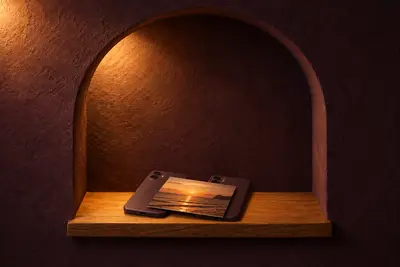
Do hidden photos transfer to a new iPhone?
Yes, hidden photos move with your library. How it works with iCloud Photos, Quick Start, iCloud backup or a computer, and what to check first.


Sources
- Hide photos with the Hidden album, Apple Support, checked 26 October 2026
- iCloud data security overview, Apple Support, checked 26 October 2026
- How does Keepsafe protect my data?, Keepsafe Support, checked 26 October 2026
- Keepsafe Subscriptions, Keepsafe Support, checked 26 October 2026
- What does Keepsafe Premium include?, Keepsafe Support, checked 26 October 2026
- How do I transfer photos to a new phone?, Keepsafe Support, checked 26 October 2026
- Photo Vault, Keepsafe, checked 26 October 2026
- How we do it, Keepsafe, checked 26 October 2026
- Terms of Use, Vaultaire, checked 26 October 2026
- Encrypted iCloud Backup, Vaultaire, checked 26 October 2026
- Secret Phrase, Vaultaire, checked 26 October 2026
- Privacy Policy, Vaultaire, checked 26 October 2026
- Vaultaire features and availability, Vaultaire, checked 26 October 2026
- Set up and use iCloud Photos, Apple Support, checked 26 October 2026
- Reset your iPhone and passcode, Apple Support, checked 26 October 2026
- Download iCloud photos and videos, Apple Support, checked 26 October 2026
- Advanced Data Protection availability in the United Kingdom, Apple Support, checked 26 October 2026
- Photo Vault - Vaultaire, Apple App Store, checked 26 October 2026
Spotted something out of date? Email support@hideroom.app.